

Step 1: Get Your API Key
In the Smallest AI console, select API Keys from the left sidebar under Developer.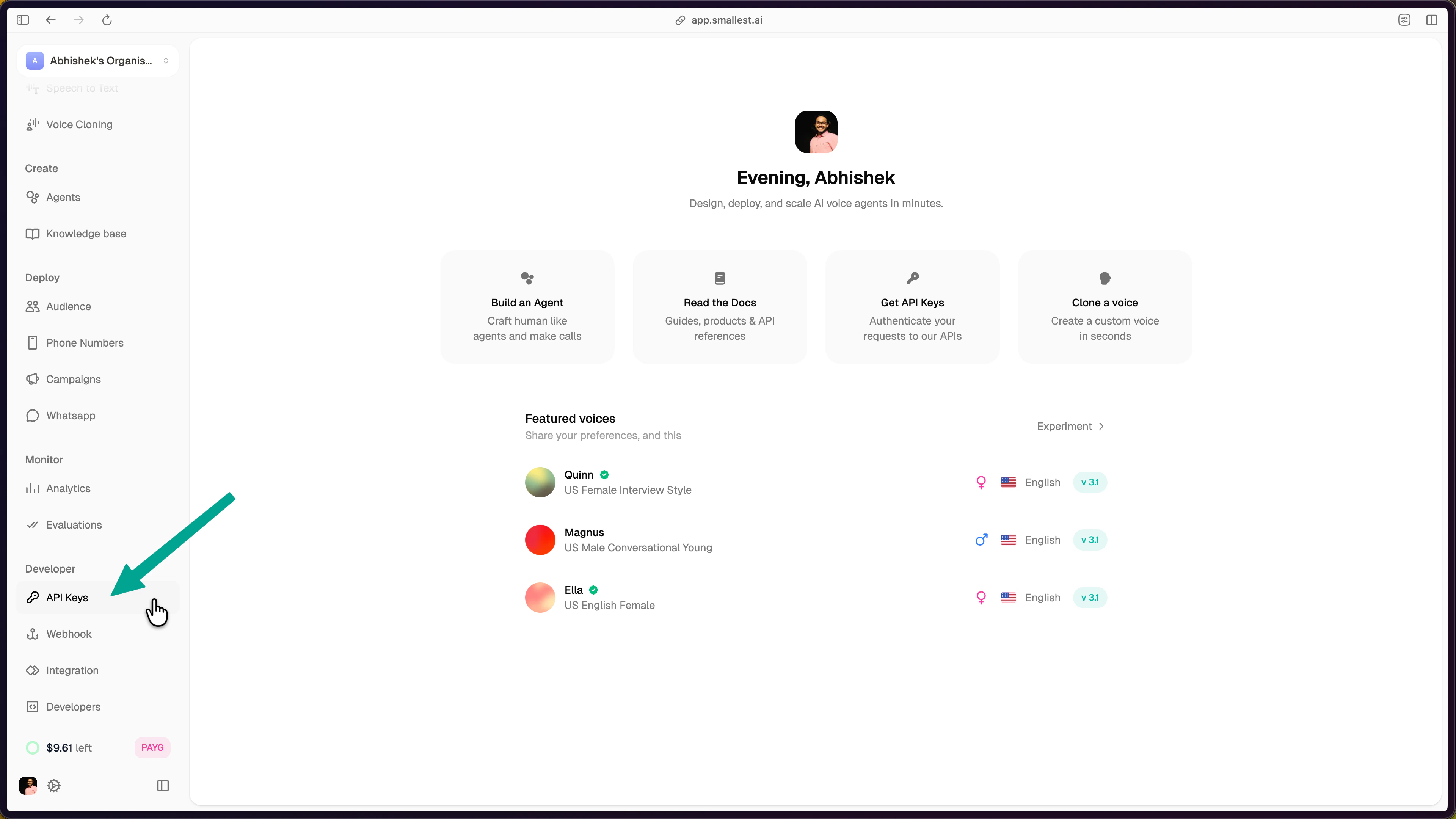
Select API Keys under the Developer section in the sidebar
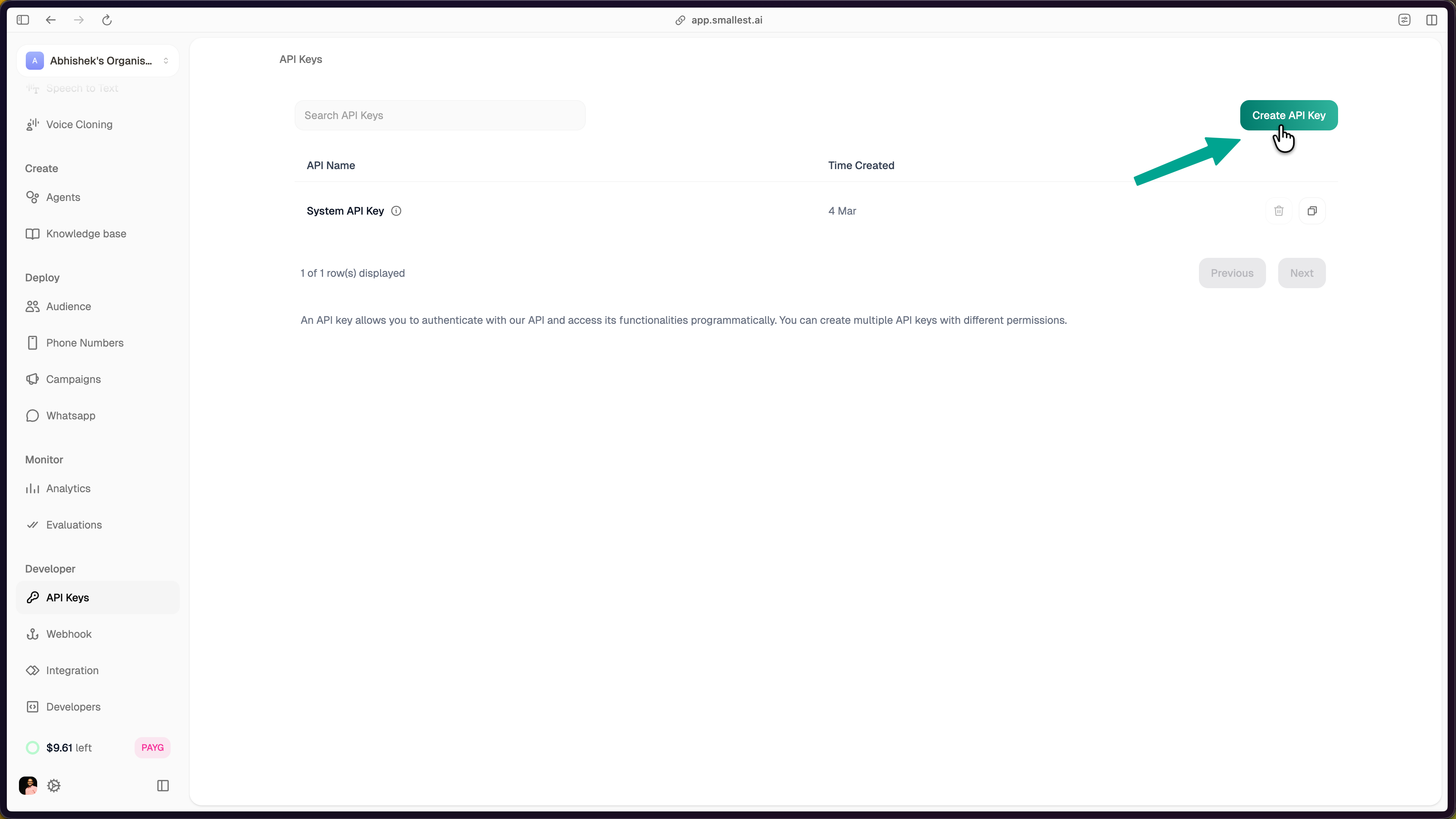
Click Create API Key and enter a name
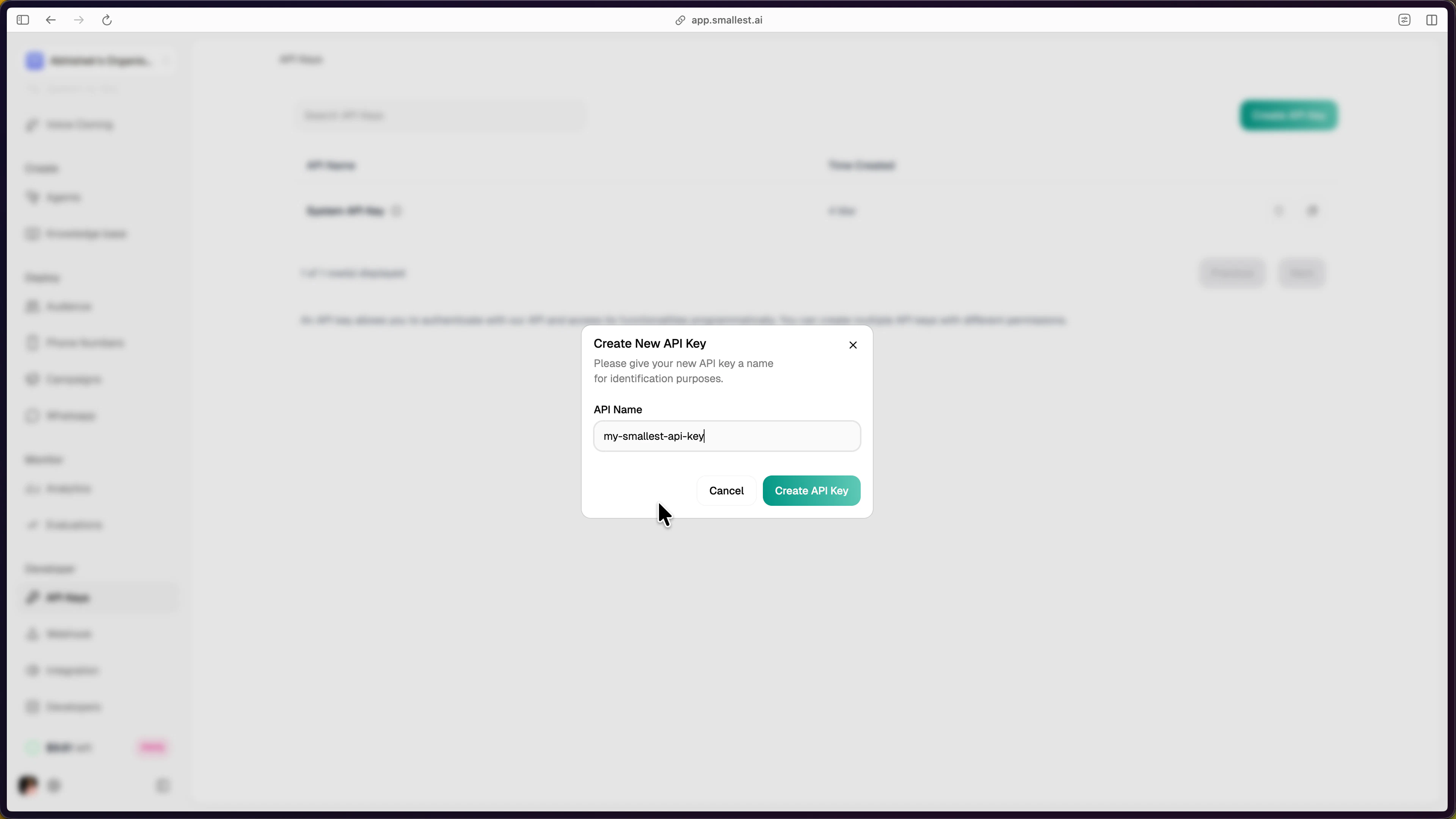
Enter a name for identification and confirm
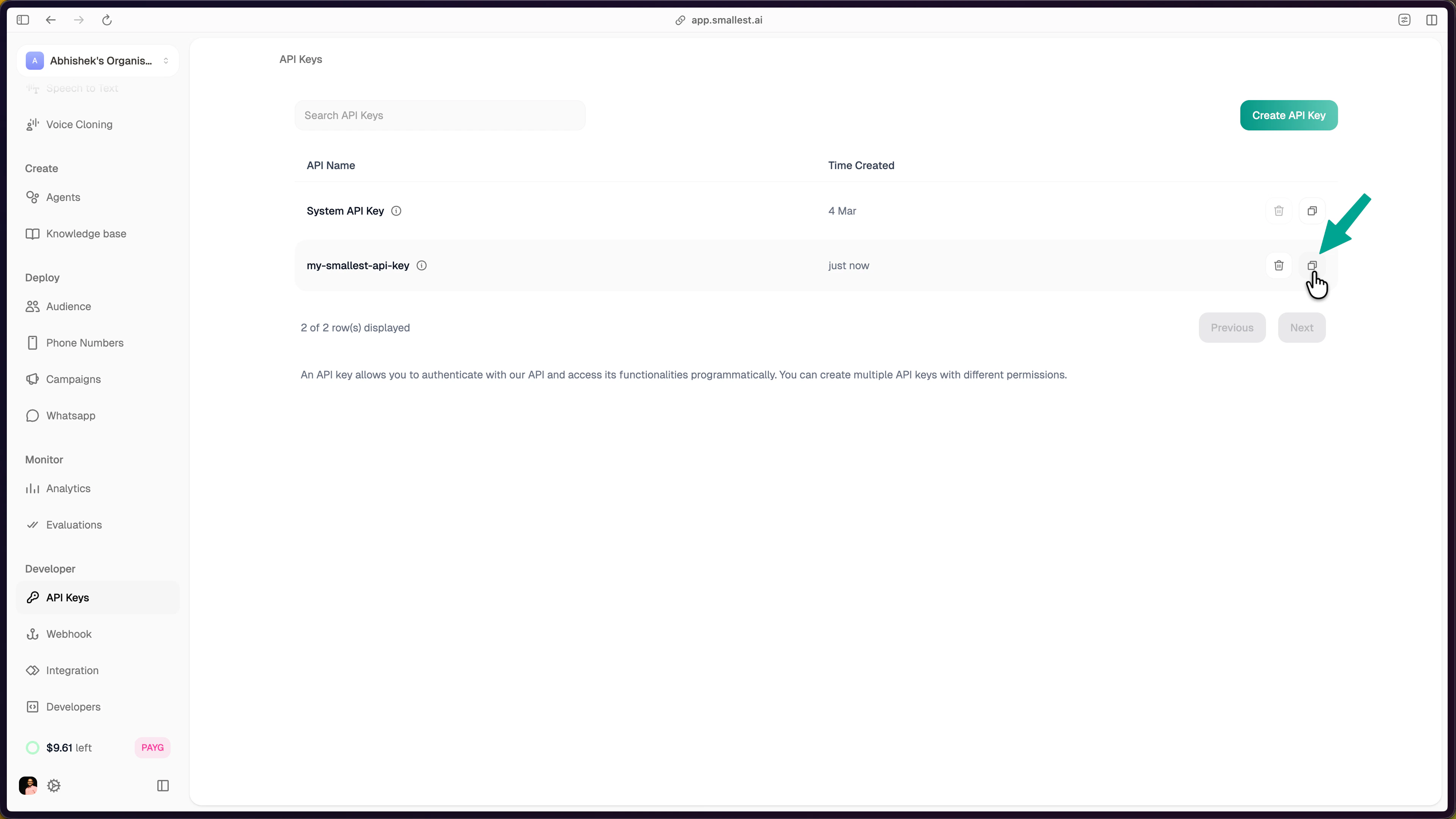
Copy the API key from the dashboard
Step 2: Hear Audio in 30 Seconds
Paste this in your terminal — no install required:hello.wav — it should sound like this:
That’s broadcast-quality TTS with ~100ms latency.
Step 3: Build It Into Your App
Step 4: Explore More
Voices & Languages
Browse 80+ voices across English, Hindi, Spanish, and Tamil.
Streaming TTS
Real-time audio streaming via WebSocket for voice assistants.
Voice Cloning
Clone any voice from just 5-15 seconds of audio.
Pronunciation Dicts
Custom pronunciations for brand names and technical terms.
Key Parameters
Need Help?
Join the Community
Ask questions, share what you’re building, and connect with other developers on Discord.