

Authorization header.
Create Your API Key
1
Go to Settings → API Keys
In the Smallest AI Console, click API Keys in the Settings sidebar.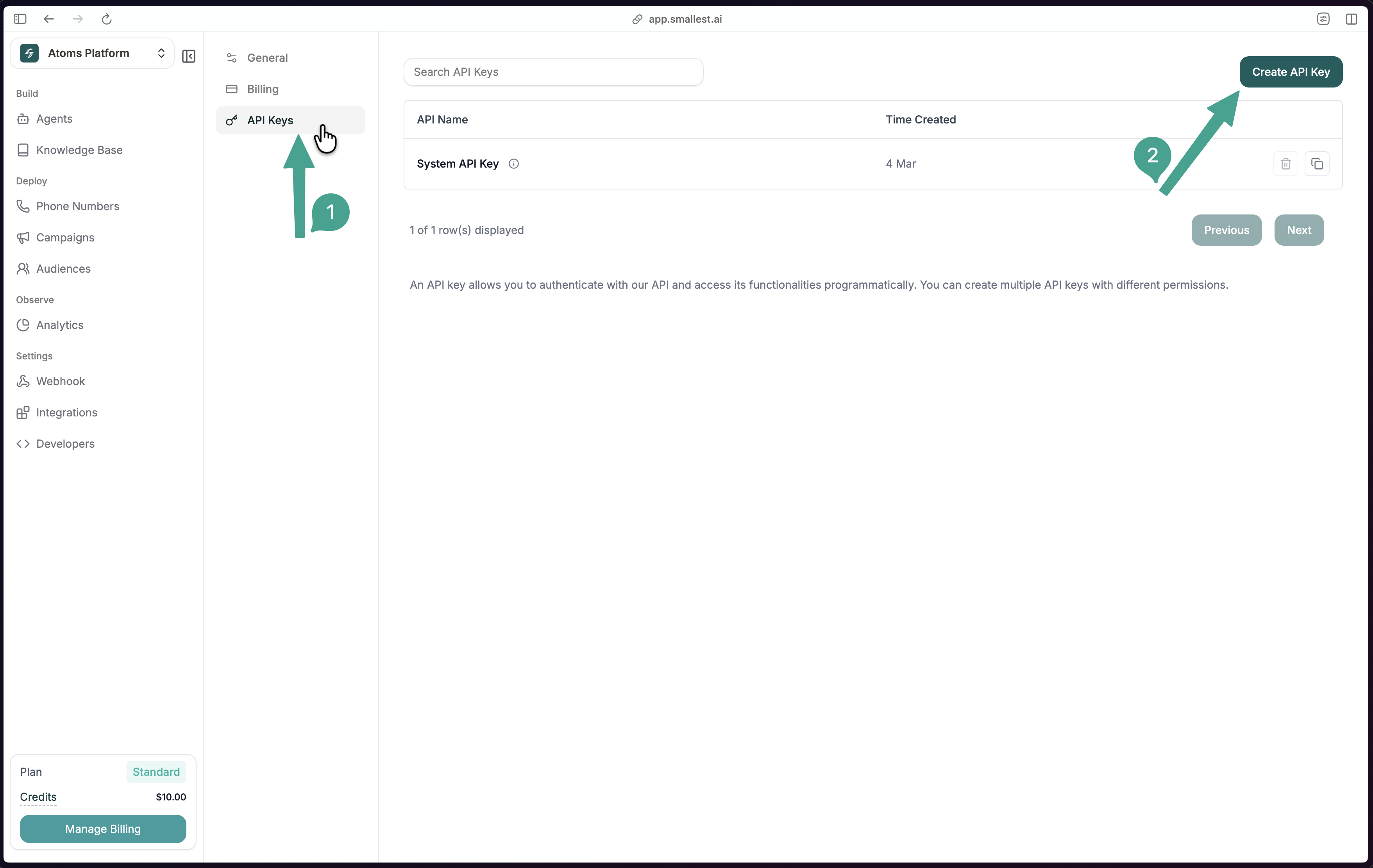
2
Create a new key
Click Create API Key, give it a descriptive name (e.g., 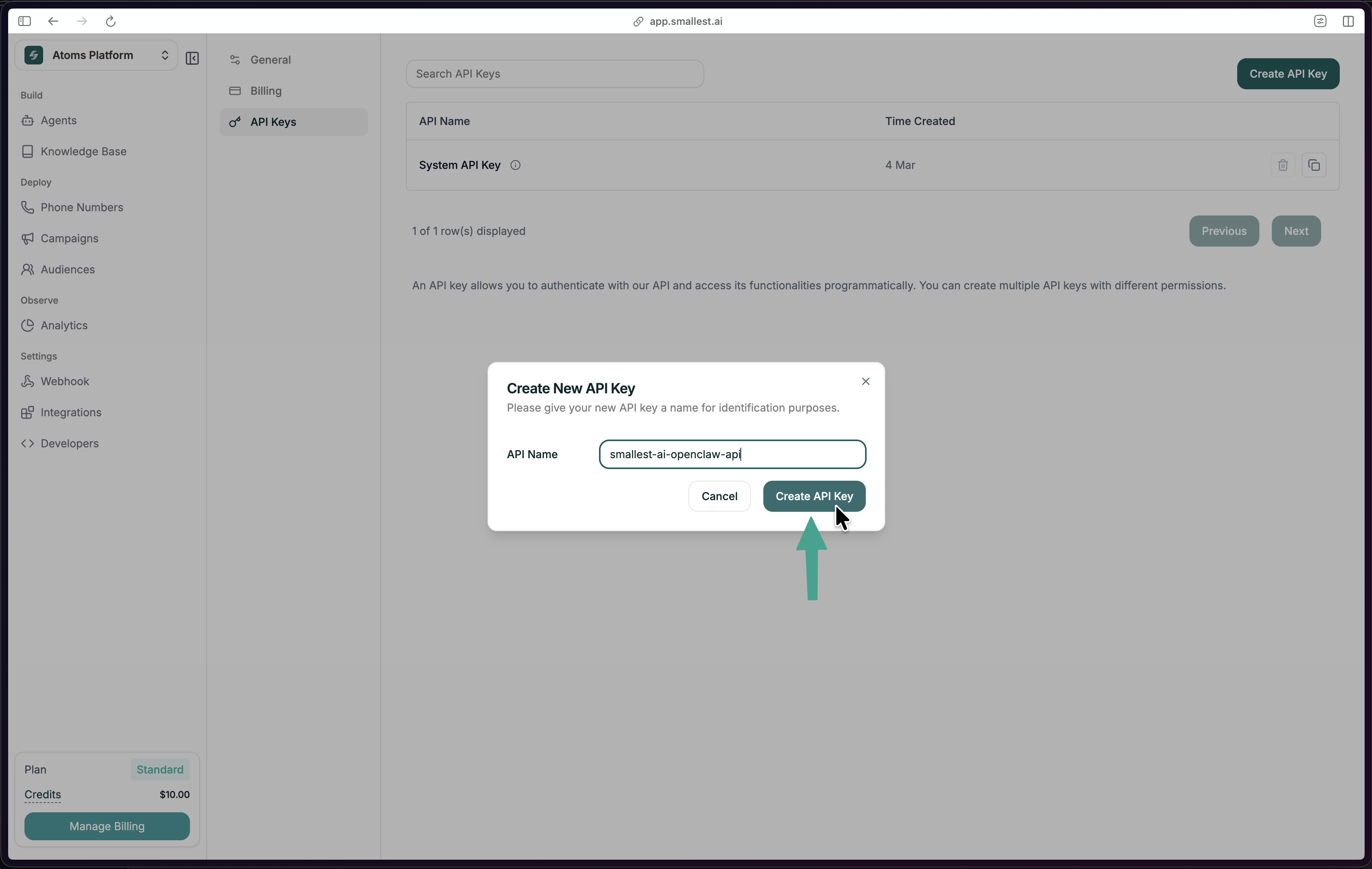
my-tts-app), and click Create API Key.3
Set it in your environment
.bashrc or .zshrc to persist across sessions.Using Your API Key
Include your key in theAuthorization header with every request:
Security
- Store keys in environment variables, not in source code
- Use
.envfiles locally (add.envto.gitignore) - Rotate keys periodically via the console
- Each key tracks usage against your account quota
Error Responses
For rate limits and concurrency details, see Concurrency and Limits.