

Models
Lightning (Text-to-Speech)
Generate speech with 80+ voices, 44.1 kHz audio, and ~100ms latency. English, Hindi, Spanish, Tamil.
Pulse (Speech-to-Text)
Transcribe audio in real-time or from files. 39 languages, speaker diarization, emotion detection.
Get Your API Key
1
Create an account
Go to app.smallest.ai and sign up with email or Google.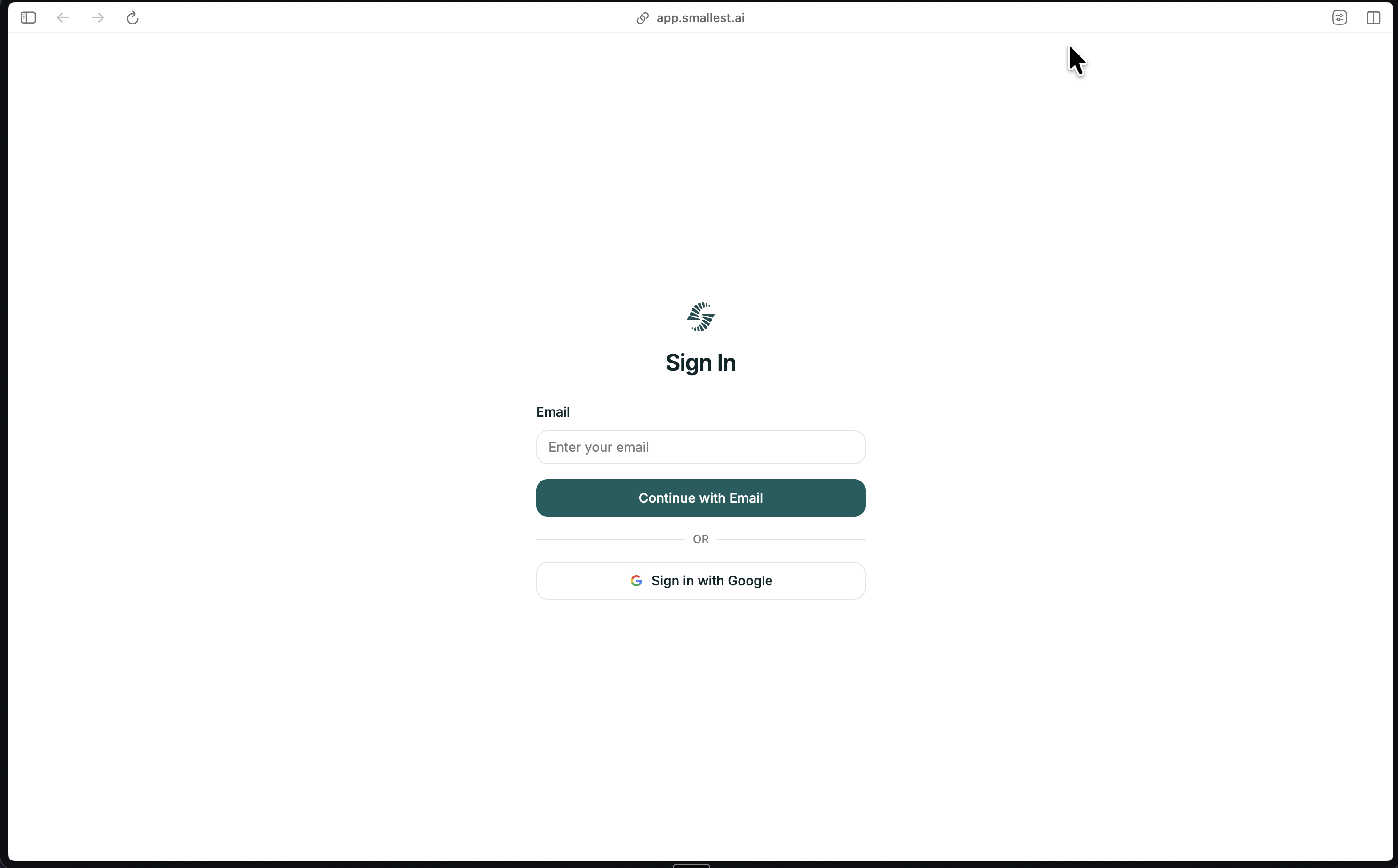
2
Navigate to API Keys
In the Smallest AI console, select API Keys from the left sidebar under Developer.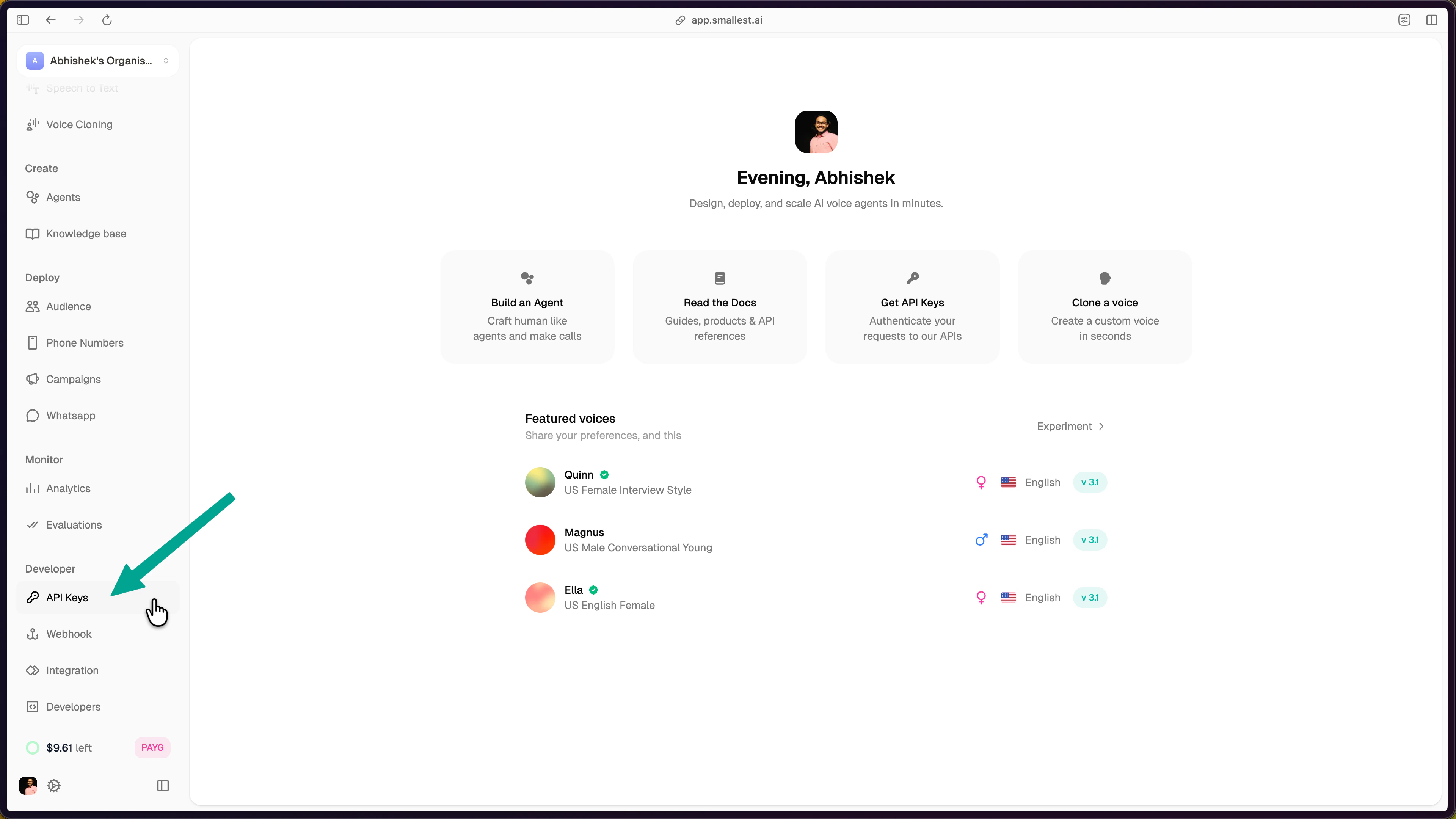
Select API Keys under the Developer section in the sidebar
3
Create and copy your key
Click the Create API Key button in the top-right corner.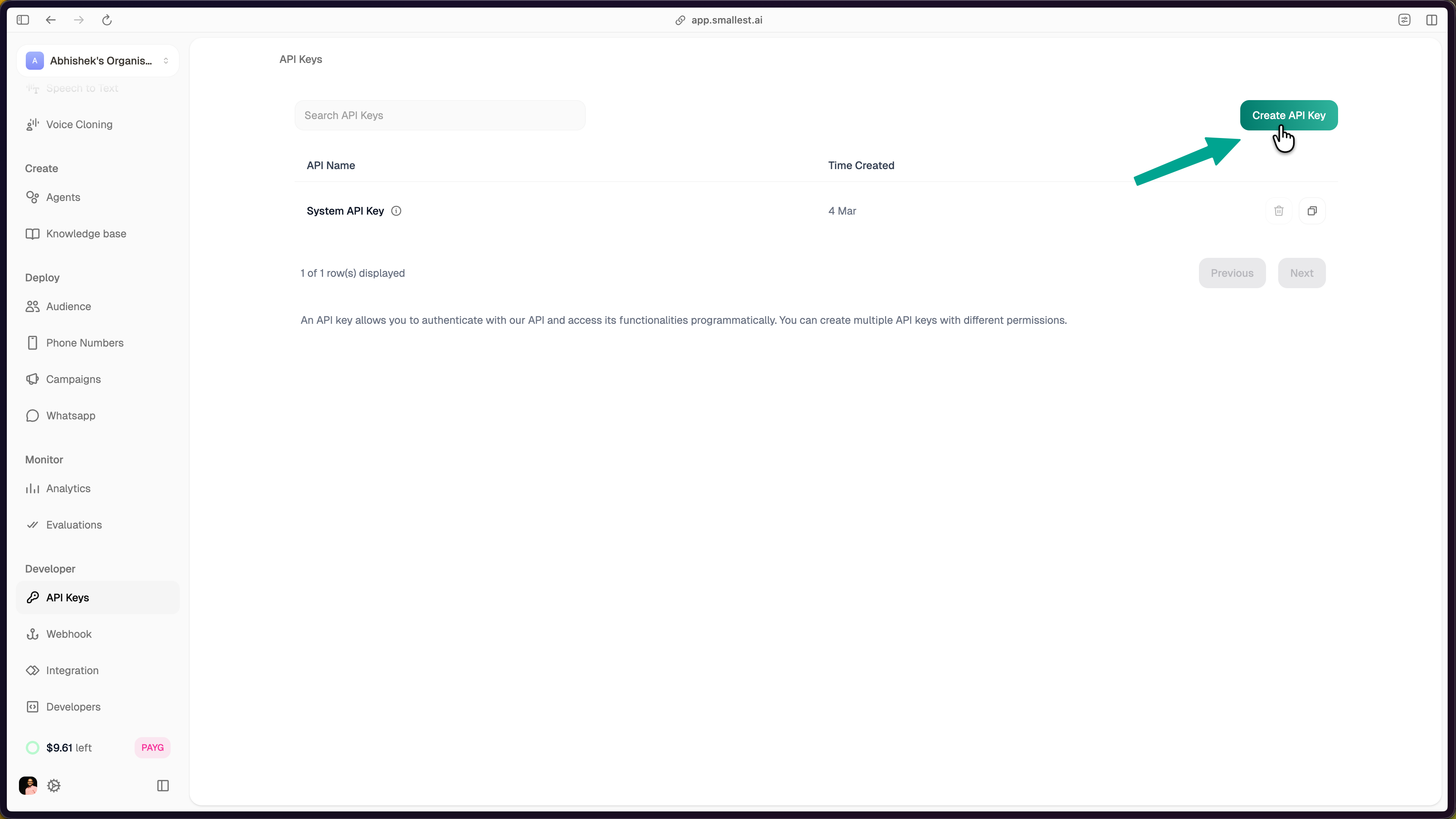
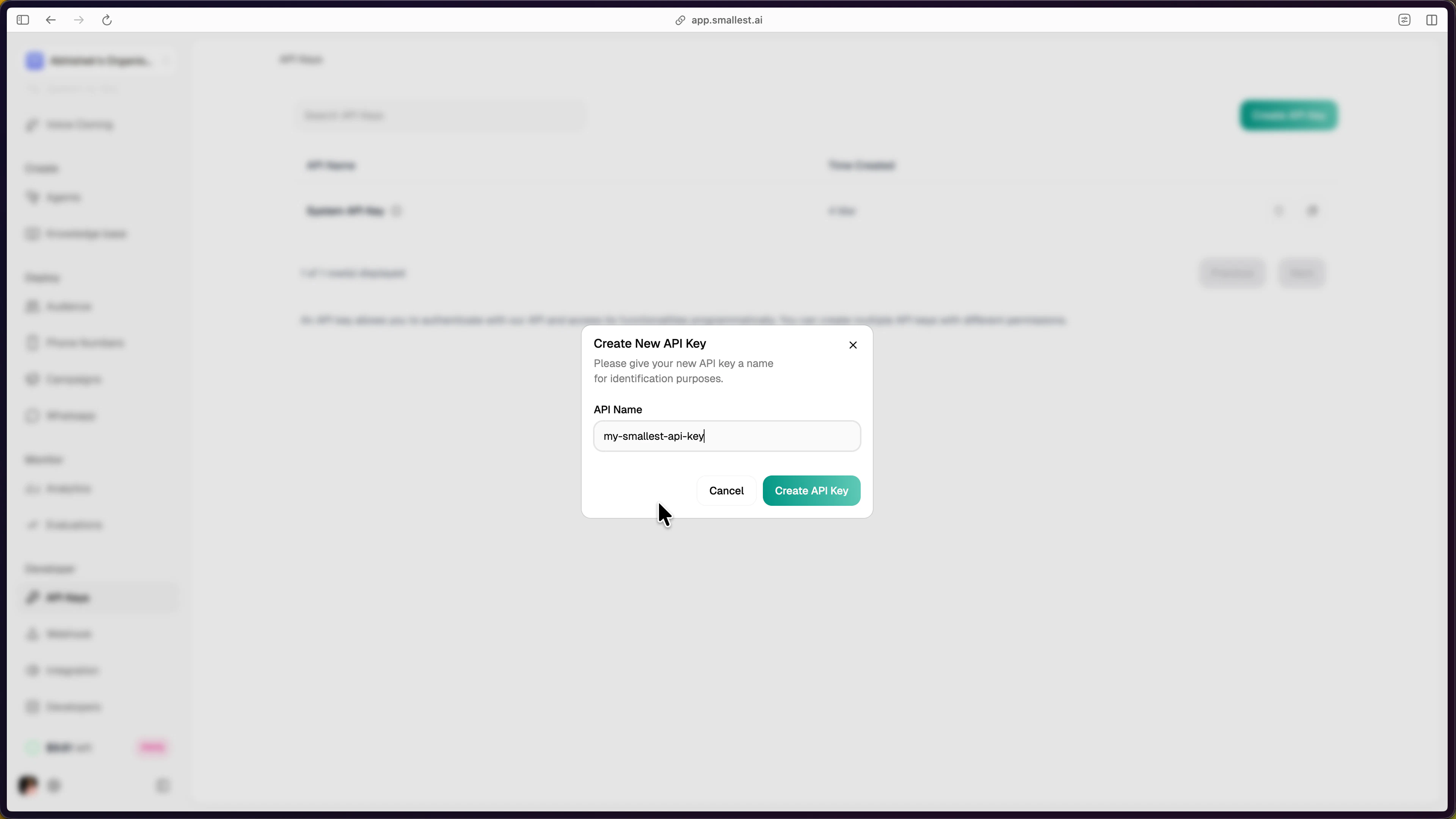
Click Create API Key to generate a new key
Enter a name for identification and confirm
4
Use your key
The newly created key appears in your API Keys dashboard. Click the copy icon to copy it.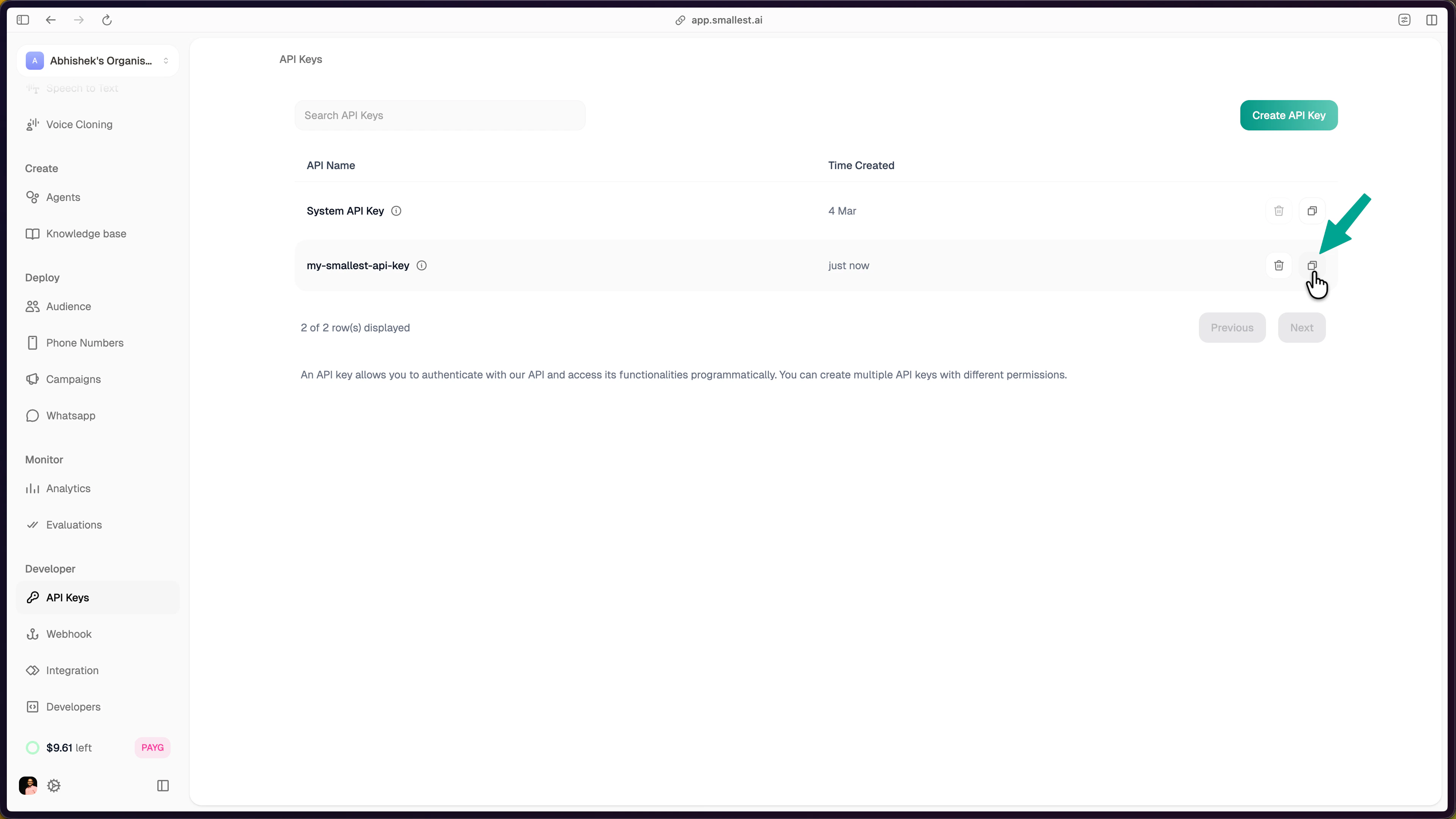
Copy the API key from the dashboard using the copy icon
Try It Now
Generate speech (Lightning TTS)
Paste this in your terminal — no install required:hello.wav — you should hear the same quality as the sample above.
Transcribe audio (Pulse STT)
Next Steps
TTS Quickstart
Full guide with Python, JavaScript, and SDK examples.
STT Quickstart
Transcribe files and stream audio in real-time.
Model Cards
Benchmarks, specs, and capabilities.
Cookbooks
Production-ready example projects.
Showcase
See what developers have built with Smallest AI.
GitHub
Open-source cookbook with 20+ examples.
Community & Support
Join Discord
Ask questions, share projects, and connect with other developers.
Email Support
Reach our team directly for technical assistance.